
A complete technical decision guide for DIY homeowners and professional installers
Typical User Scenario
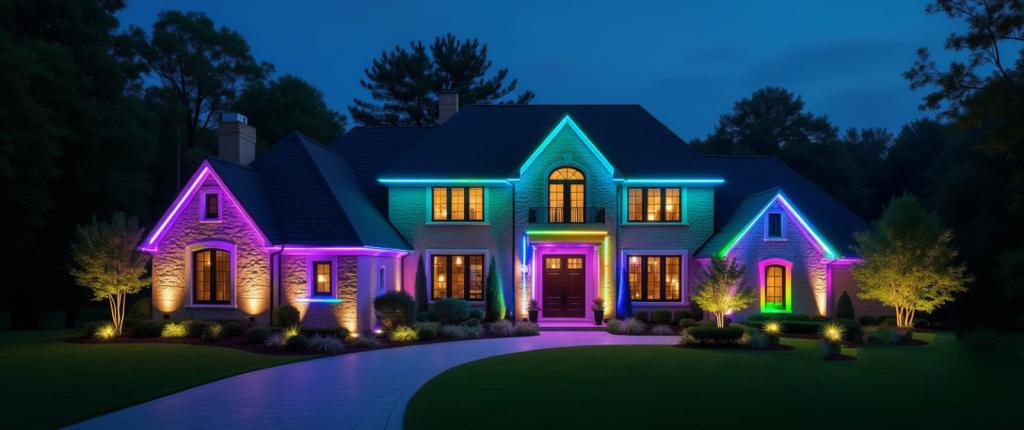
In the Western U.S., detached homes commonly have wide front and back yards that span lawns, driveways, planted landscapes and outdoor living areas. A typical household deployment might include 10–16 outdoor fixtures: spotlights for tree trunks and façade washing, path lights for walkways, and well/inground lights for planting beds.
Distances between front and back yards often reach 40–50 meters (≈130–165 ft) and come with real-world obstacles:
- The home Wi-Fi router is indoors, and signal drops significantly after passing through load-bearing/concrete walls.
- Large plants, wooden fences, metal railings and other outdoor furniture can absorb or reflect RF energy.
- Spotlights are often mounted low (in the ground or in shrubs), so their antenna height is low and the wireless link budget is more challenging.
Many homeowners would expect more than “the lights turn on.” They want:
- smooth dimming, color-temperature control and RGB color;
- distant fixtures to respond promptly even when spaced far apart;
- stable group control (one-tap party/BBQ/welcome scenes);
- Alexa / Google Assistant voice control;
- reliable OTA firmware updates outdoors;
- a phone app that is simple to install, easy to onboard and easy to scale.
For yard lighting we need wireless systems that do more than cover distance — they must support:
- multi-node self-forming mesh networking to compensate for weak indoor Wi-Fi;
- stable operation under interference (especially 2.4 GHz conflicts from other home Wi-Fi devices);
- robustness against metal, moisture and vegetation;
- power-efficient operation to suit outdoor fixture thermal and cost constraints.
Below we explain everything — from the physical / link layer up through user experience, deployment and maintenance — so you can choose the right system. Yeismooi’s recommendations and reasoning are included.
Why Thread Stands Out
Physical & link-layer perspective: coverage, penetration and interference
Wi-Fi, BLE, Zigbee and Thread can all run in the 2.4 GHz band, but their real-world performance in a yard with load-bearing walls, vegetation and ground-mounted fixtures is very different. Penetration and single-hop distance depend not only on transmit power but also on receiver sensitivity, modulation schemes and environmental attenuation. Loss through wood or plants is not the same as loss through concrete or a load-bearing wall.
In a distributed, obstacle-heavy, mid-range yard (tens of meters), multi-hop mesh networks are generally more reliable and cost-effective than a single long-range hop. Below is a side-by-side look at the common options in the yard-lighting scenario.
Wi-Fi (2.4 GHz)
- Mechanism: Wi-Fi uses an AP-centric architecture. Each device must communicate directly (or via a Wi-Fi mesh extender) with the router/AP. Devices do not forward packets for each other—there is no multi-hop routing within WiFi network.
- Metaphor: Like the main road outside your house—high bandwidth and fast speeds, but when there’s heavy traffic (many devices connected), it can slow down. Plus, if you live far down a street, the signal might not reach your backyard (poor wall penetration).
- Pros: high single-hop throughput, low latency.
- Cons: at 40–50 m (130–165 ft) and through load-bearing walls, Wi-Fi signal drops quickly. Without an outdoor AP or repeater, indoor APs create dead zones and disconnects. Also, when many lights (and other IoT devices) share the same 2.4 GHz network, channel congestion and interference make connections unstable and disconnections frequent. Wi-Fi signals have trouble reaching outdoor areas, so you may need to buy more mesh Wi-Fi extenders for larger yards.
BLE Mesh (flooding model)
- Mechanism: BLE Mesh typically uses a flooding model — a node receives a message then rebroadcasts it to its neighbors. Implementation is simple; no routing tables are required. That simplicity makes pairing easy and is fine for small networks or scenarios where broadcast commands are acceptable.
- Metaphor: Like a walkie-talkie—great for short distances without shelter, but it won’t work well if you’re too far away.
- Pros:
- Simple setup: Easy to pair devices without complex configuration
- Good for small networks: Works well when only a few lights or devices are involved
- Broadcast-friendly: If most devices perform the same action (e.g., all lights turn on at once), it can deliver messages quickly
- Cons:
- Needs a gateway (such as a smart speaker or dedicated hub) to bridge Bluetooth and Wi-Fi networks for remote control and integration with other devices.
- Flooding generates many duplicate packets and quickly clogs the air.
- More nodes → more retransmissions → exponentially higher network load.
- With heavy obstruction (trees, ground-level fixtures, awkward angles), retries increase → unpredictable latency and high packet loss.
- Result: unstable networks, lights that “don’t listen,” poor synchronized group control. OTA, group upgrades, and large-scale synchronized actions are typically the worst with flooding models.
Zigbee (IEEE 802.15.4)
- Mechanism: Zigbee uses classical routing (e.g., AODV-style) — nodes build and maintain routing tables and perform route discovery/repair. Zigbee’s multi-hop routing is mature and proven in many deployments.
- Metaphor: Similar to Thread, but with a slightly different setup.
- Pros: self-healing routing; proven in larger mesh networks.
- Cons: Zigbee is non-IP, so it needs a gateway/bridge to reach the home LAN/cloud. Group control latency and consistency can vary with implementations, and routing maintenance requires more RAM/CPU and design effort. Heterogeneous node mixes (many weak devices, mobile nodes) can degrade performance. Route discovery and repair can add latency.
Thread 1.4 (also IEEE 802.15.4 at the PHY)
- Mechanism & difference: Thread shares the 802.15.4 physical layer with Zigbee but differs in network architecture — Thread is a native IPv6, routing mesh (no flooding). Each destination has routing paths; messages are forwarded hop by hop and routes can be repaired when a link fails. Thread’s modulation and channel handling are also robust to short-term interference. Thread can use a Border Router to route some traffic over Wi-Fi/Ethernet (TREL/encapsulation) if needed, which is useful in weak Wi-Fi environments.
- Metaphor: Like a team passing messages hand-to-hand—more devices mean better coverage, and one team member’s break doesn’t slow the others down. It runs quietly in the background (low power) and reacts instantly when needed (low latency).
- Pros:
- Broader coverage and pentration capability of the network;
- No mass duplicate packets;
- Network load doesn’t explode as you add devices;
- Strong self-healing — automatic rerouting on link failures;
- Predictable, stable latency distribution — ideal for synchronized scenes;
- Cons:
- For now, Thread Border Router is not as popular as WiFi Router in users’ home, it may still require at least a Thread Border Router (Apple’s HomePod Mini, Nest Hub, or brand-specific like Yeismooi Smart Switch Hub).
User-experience comparison
Provisioning / Control / Voice / OTA / Troubleshooting
We compare Thread, Zigbee, BLE Mesh and Wi-Fi from a user perspective across provisioning, day-to-day control, voice integration, firmware OTA, and professional maintenance.
Provisioning (joining lights to the home network)
DIY homeowners
Thread: Onboarding tends to be smooth; devices can join an existing Thread network without typing in credentials. The network is stable with low maintenance.
Zigbee: Mature onboarding and broad ecosystem support. If the home already has Zigbee, adding devices is straightforward; older gateways sometimes require manual route management.
BLE Mesh: Pairing is simple conceptually (broadcast), but long-term stability, predictability and long-distance reliability are insufficient for a 50 m yard lighting system.
Wi-Fi (2.4 GHz): Easy to understand (SSID + password), but if the Wi-Fi network is congested or weak in parts of the property, new devices may fail to connect or may drop intermittently.
Professional installers
Thread: Installers don’t need to micromanage the entire topology because the mesh self-forms and self-heals; a Border Router can expose diagnostics to help.
Zigbee: Installers need to be familiar with various gateways/coordinators and may perform topology and route optimizations.
BLE Mesh: For large installs, installers must consider relay strategies; optimizing coverage is more complex and can increase maintenance costs.
Wi-Fi: Installers must check channel usage and AP placement — a reliable Wi-Fi deployment for many devices often needs extra APs/repeaters and RF planning.
Day-to-day control (latency, group control, user experience)
Thread: Low latency, good synchronization — ideal for grouped scenes like “warm canopy + path soft glow.”
Zigbee: Mature and reliable; latency is slightly higher than Thread but adequate in most cases.
BLE Mesh: Group control is often unstable in large or obstructed setups — best for small/close-range deployments.
Wi-Fi: If a device is connected, performance is excellent; but coverage gaps reduce reliability and spoil the experience.
Third-party voice integration (Alexa / Google)
Thread: It requires a Vendor’s hub that supports for Thread Border Router local, low-latency control with cross-vendor interoperability.
Zigbee / BLE Mesh: Typically require a vendor’s Bridge/Hub or cloud bridge to reach voice platforms; integration depends heavily on the hub implementation.
Wi-Fi: Voice integration can be done via vendor cloud or local bridging; stability depends on cloud reliability and local network health.
OTA upgrades & maintenance
Thread: IPv6 routing and pathing make OTA more stable and allow controlled, rolling upgrades.
Zigbee: Mature vendor solutions exist but usually depend on the gateway.
BLE Mesh: OTA is hardest here — slow, failure-prone and time-consuming.
Wi-Fi: Single-device OTA is straightforward, but bulk upgrades consume a lot of bandwidth and fail more often in weak-signal areas.
Professional maintenance / troubleshooting
Thread: Predictable network behavior; engineers can inspect routing quality, hop counts, logs, and quickly improve coverage by adding Router nodes. Faulty devices are easier to isolate.
BLE Mesh: Flooding behavior makes precise tuning and fault localization hard.
Zigbee: Good toolchains exist (topology, route tables), but it still requires gateway knowledge.
Wi-Fi: Problems often stem from the home network (2.4 GHz interference, AP placement); solving these requires networking expertise.
Why Yeismooi builds its own Border Router (BR)
Voice & Ecosystem Final Case
Yeismooi offers a Thread Border Router (BR) Smart Switch within the Smart Lighting System because we want to deliver a complete, stable experience without full dependence on external ecosystem vendors.
Although the Border Router function is a standard and many ecosystems theoretically support Thread BRs, in practice support level and implementation details vary widely. Relying solely on third-party BRs (from Alexa/Google/router vendors, etc.) creates user experience risks while Thread ecosystems continue to mature. Key reasons Yeismooi chooses to build its own BR:
Control user experience & brand stickiness
A Yeismooi BR (for example, an intelligent switch with a Thread radio, Ethernet/Wi-Fi backhaul) ensures fast onboarding, local low-latency control, OTA policies that match our product strategy, and a diagnostics UI for installers and homeowners.
BR is the bridge between Thread and the broader ecosystem
Thread devices are IP devices (IPv6). The BR connects the Thread mesh to the home LAN/Wi-Fi so Alexa and Google can access Yeismooi devices using Works With Alexa / Works With Google. As the Thread ecosystem improves and router vendors add broader support for the Thread 1.4 standard, Yeismooi will offer more seamless ways to join other ecosystems — but having our own BR today removes a significant layer of uncertainty for customers.
Difference vs Zigbee/BLE hubs
Zigbee/BLE hubs must parse numerous vendor-specific data models (Zigbee clusters, BLE custom services/characteristics), so the hub must maintain a lot of device adapter logic. A Thread BR doesn’t need to do device-level protocol translation — Thread is an IP network, and the BR’s job is network bridging. This makes BRs lighter, more reusable and lowers gateway maintenance burden.
Benefits for homeowners and installers
Less cloud dependency → lower latency and better privacy through local control.
Better integrated installation experience — Yeismooi BR can provide diagnostics, coverage suggestions and an OTA management UI.
Conclusion: making our own BR balances user experience, long-term ecosystem strategy and brand control. Yeismooi already supports Works With Alexa and Works With Google Home, so customers can use voice control today. Over time, as the Thread ecosystem becomes fully mature, we’ll add more plug-and-play integration options.
Engineering & deployment Recommendations
Practical Guidance for Installers and DIYers
For a yard with 10–16 fixtures, complex obstructions and tens of meters of spread, using Thread as the primary mesh is the safest choice. Deploy 2–3 always-on Router nodes (fixtures themselves can be Router-capable) near the house to form a stable routing backbone. That approach balances coverage, reliability and maintenance cost.
Recommended network architecture (preferred)
Primary network: Thread 1.4 Mesh + 2.4 GHz Wi-Fi as a secondary network (all fixtures should be Router-capable).
Thread Border Router (Yeismooi switch): place it indoors at a location with good indoor signal — it does not need to be on the exterior wall or physically close to the yard. The BR supports both Wi-Fi and Thread and will automatically build the Thread mesh. For a typical property, 1–2 BR units are sufficient — one near the house side of the front yard and one near the house side of the back yard if the property is large.
Thread End Devices (Yeismooi spotlights): fixtures can be installed flexibly according to landscape design — all Yeismooi spotlights support Thread Router capability and act as mesh relays to improve overall coverage.
Antenna orientation & height: place Yeismooi BRs at a higher indoor position where possible (at least ~3 ft above ground level) and avoid ground-level placements for the BR. Keep antennas clear of large metal objects and dense foliage.
OTA strategy
Perform staged, rolling updates (e.g., 20–30% of devices per batch). Upgrade Router nodes first to ensure routing capacity during the upgrade, then upgrade End Devices.
Maintain rollback images and use dual-bank firmware so a Router upgrade failure won’t bring the mesh down.
Schedule upgrades during low-use windows (nighttime) to avoid impacting user experience.
Cost Advantages
Many customers today spend hundreds of dollars on a Wi-Fi/BLE smart transformer or controller, or tens to hundreds more on outdoor Wi-Fi repeaters to get yard lighting online. Yeismooi places the Thread Border Router function inside the smart switch: a Yeismooi BR can be produced for about $20+ and is bundled with kits, dramatically lowering the cost to adopt smart lighting. Integrating the BR into the switch saves customers from buying a separate gateway/controller.
From a maintenance and iteration cost perspective, Thread’s IP-based approach reduces gateway-level adapter complexity compared with Zigbee. Zigbee hubs often need vendor-by-vendor cluster/profile adapters; Thread (being IP-based) avoids much of that translation work. Yeismooi’s architecture reduces future integration friction and makes product updates and new device onboarding simpler — a benefit to both customers and partners.
Yeismooi’s Decision
User experience first: Yard lighting needs visual coherence (synchronized dimming/colors). Thread’s routing mesh delivers better latency consistency and reliability for that use case.
Operational maintainability: Router-capable fixtures + a small number of BRs produce a predictable, diagnosable network that’s simple to tune on-site and manage remotely.
Future ecosystem compatibility: Thread is the modern path to native Alexa / Google / Apple integrations and reduces long-term adaptation costs.
OTA & security: IP-based Thread supports reliable OTA strategies, signed firmware and modern key management.
 Yeismooi Smart Lighting System for Yard – Lingying (Shanghai) Internet of Things Technology Co., Ltd.
Leave a comment